


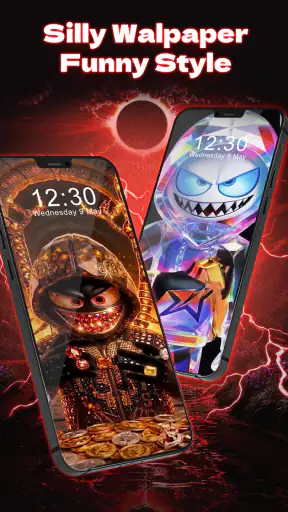
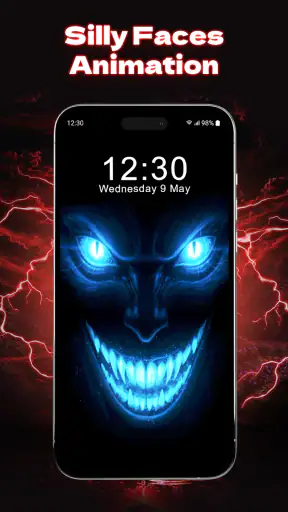
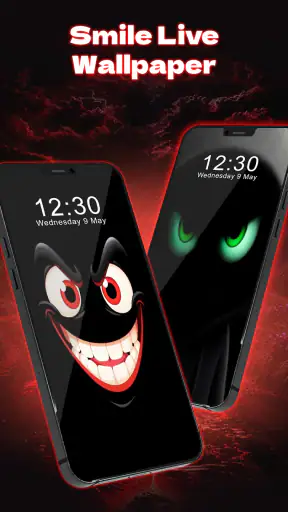
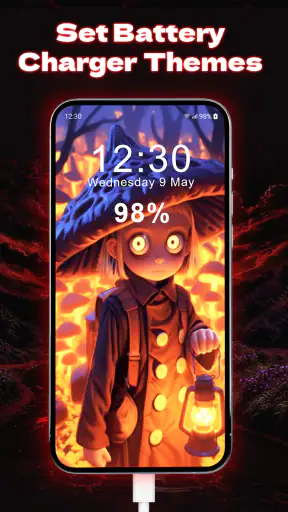
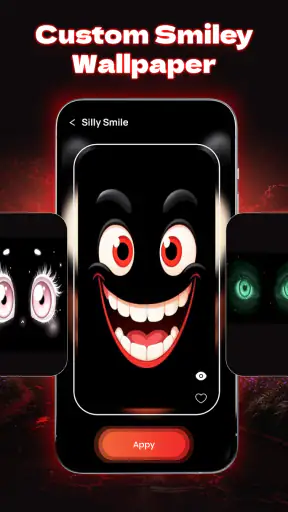

I installed Fun Smile Silly Live Wallpaper expecting a small personalization app with a playful visual twist, and that is exactly where it makes the most sense. Rather than treating a phone background as a static picture, it turns the home-screen experience into something more expressive, with funny faces, silly faces, and a charging animation at the center of its appeal. I would describe it as a lighthearted Android customization tool, not a complete theme system or a serious productivity feature.
The first impression is simple: this is for someone who wants the phone to feel cheerful whenever they unlock it or connect it to power. The app is free to install, while optional in-app purchases range from $3.99 to $14.99 per item. That gives curious users a low-risk way to try the basic idea, although anyone who dislikes paid extras inside a personalization app should keep that model in mind before getting attached to a particular visual option.
It comes from Anderson Tony and sits in the personalization category. The app is suitable for Everyone, supports Android 7.0 and later, and the current release is version 12.0. Its reception is strong, with a 4.6 average from around 19 thousand ratings, while its reach has passed 5 million installs. Those figures suggest that the concept is easy to understand and attractive to a broad audience, but they do not change the more important question: whether this particular style fits the way you use your phone.
From a plain screen to a playful charging moment
The starting condition matters more than it seems
My starting point was an ordinary phone setup: a background that looked fine but did not add much personality, and a charging screen that I barely noticed. That is the situation where this app has a clear purpose. It is not trying to replace every part of the interface. Instead, it adds a visual reaction to two familiar moments: looking at the phone and plugging it in.
That distinction is useful because many wallpaper apps are built around beautiful scenery, abstract artwork, or large collections of still images. Fun Smile Silly Live Wallpaper takes a different route. Its appeal comes from expression and movement. The funny-face approach can make the device feel more casual, especially if you prefer a screen that gives you a small smile instead of trying to look elegant or cinematic.
I can imagine using it on a secondary phone, a family device, or a personal handset where personality matters more than a restrained appearance. It could also work well for someone who changes wallpapers often and wants a more noticeable reason to revisit the customization settings. The visual idea is direct enough that you do not need to understand a complicated design system before deciding whether you like it.
Choosing the right moment for the wallpaper
The practical workflow begins with deciding where this kind of animation belongs in your routine. If you want a quiet, distraction-free lock screen, a static image may be better. If you enjoy a little movement whenever you check the home screen, the live wallpaper concept is more suitable. The charging animation adds another handoff: the phone changes from a normal idle object into something that reacts when power is connected.
That charging focus is more useful than it first sounds. A charging animation is visible during a moment when people often place the phone on a desk, bedside table, or kitchen counter. In those situations, the screen becomes a small ambient display. I would not call it a replacement for a dedicated clock or smart display, but it can make an otherwise forgettable pause feel more personal.
One realistic example is an evening routine. I connect my phone before going to bed, glance at the charging presentation, and then leave the device alone. The app’s value in that moment is not that it helps me complete a task faster. It changes the mood of the handoff from active use to charging, which is a modest benefit but a genuine one for people who enjoy visual details.
A step-by-step setup approach
I recommend approaching the setup in stages instead of immediately trying to make the screen as busy as possible. First, install the app and look at the available visual direction. The important decision is whether the face-based style feels amusing on your device size and layout. A design that looks charming in a preview can feel too prominent once icons and widgets share the same screen.
Next, apply the wallpaper and spend a little time using the phone normally. Unlock it several times, open a few apps, and check whether the background competes with text or icons. This is a better test than judging it only from a selection screen. Live wallpapers succeed when they add character without making basic navigation feel visually crowded.
After that, connect the phone to power and observe the charging animation in the context where you will actually see it. A short glance at a desk is different from watching the screen in a dark bedroom. This is one of the app’s less obvious trade-offs: an animation that feels fun in daylight may be more noticeable than you want at night. I would choose the least distracting presentation for a bedside setup and reserve the more energetic look for a desk or shared space.
Finally, live with the choice for a full day before considering optional purchases. The free starting point is important here. You can decide whether the core style has lasting appeal rather than paying simply because a preview looks novel. Since the optional items cost between $3.99 and $14.99 each, patience is the sensible part of the workflow.
Where the handoffs happen
The app has several handoffs between its own presentation and the Android system. It must move from browsing a visual option to applying it as a wallpaper, then from normal phone use to the charging state when a cable or compatible power connection is used. Each handoff is a chance for the experience to feel either smooth or slightly disconnected.
From a user’s perspective, the most important handoff is not the selection screen. It is the moment after leaving the app. If the wallpaper remains readable behind icons and the charging animation appears when expected, the app becomes part of the phone rather than something I have to reopen. That is the standard I would use when judging it: customization should continue working quietly after setup.
There is also a social handoff. A funny face on a personal phone is harmless, but the same look may not suit a work device or a formal meeting. I would be comfortable recommending it to a friend who wants a playful handset, while I would hesitate to suggest it for someone who wants a polished, minimal appearance across every device. Personalization is successful only when the visual choice matches the setting.
What the finished result feels like
When the style fits, the result is more memorable than a normal wallpaper. The phone feels less generic, and charging becomes a small visual event instead of a purely functional state. I especially like the idea for users who treat their devices as an extension of their personality. The silly-face theme is not subtle, but subtlety is not really the point.
The strongest result comes from restraint. I would pair the wallpaper with a simple icon arrangement and avoid placing too many widgets over it. That gives the face and animation room to remain recognizable. This is a concrete tip that is easy to miss: the app can work better when the rest of the home screen is quieter, because the visual humor needs empty space around it.
Another useful workflow is to match the wallpaper to the phone’s role. On a personal handset, a bolder face can be enjoyable. On a shared family device, a clear and friendly expression may be easier for different people to accept. On an older Android phone, I would test it carefully and keep expectations realistic. The minimum supported system is Android 7.0, but compatibility does not automatically mean that every older device will make animation feel equally comfortable.
Where the flow breaks down
The biggest limitation is that the concept is narrow. If you want a complete personalization package with coordinated icons, widgets, notification styling, and a large design system, this is not the right tool. It focuses on the wallpaper and charging presentation. That focus keeps the idea approachable, but it also means you may need separate apps for the rest of the phone’s look.
There is a second limitation for people who prefer still images. Motion can become tiring when you see it repeatedly, especially on a screen you check dozens of times a day. The same joke that feels fresh during the first setup can feel repetitive later. I would skip this app if your main goal is a calm background that disappears behind your apps.
The purchase structure can also interrupt the flow. Starting free is convenient, but optional items create a decision point after you have already invested attention in the design. For me, the right approach is to treat purchases as a way to extend a style I already enjoy, not as a requirement for basic experimentation. Anyone looking for a completely free customization experience should be prepared to stay with the included choices or choose a different wallpaper app.
There is also a practical issue with visual priority. A funny face can compete with app labels, photographs, or widgets. If you use the home screen as an information dashboard, the playful background may work against that purpose. A static, low-contrast wallpaper would be better for reading calendar details, checking reminders, or keeping a professional layout easy to scan.
Who should use it and who should skip it
I would recommend Fun Smile Silly Live Wallpaper to someone who wants a cheerful Android background, enjoys expressive visuals, and likes the idea of a charging screen that reacts with more personality. It is particularly suitable for casual phone users, younger family members, and anyone bored with ordinary wallpaper collections. The Everyone age rating also makes its tone broadly approachable.
I would not recommend it to someone who wants maximum battery-conscious simplicity, a formal business appearance, or a fully coordinated theme. I would also point serious customization enthusiasts toward a broader launcher or theme solution if they want control over icons, widgets, fonts, and system colors in one place. This app is better understood as a focused visual accent than as a complete redesign.
My most useful advice is to test it in the exact context that matters to you: home screen, lock-screen glance, and charging at night. Those three situations reveal more than a quick preview. If the face remains readable, the animation feels pleasant rather than distracting, and the phone still looks like yours after a day, then the app has done its job.
My final take after using the complete workflow
The best reason to install it is not technical customization; it is the small emotional change it brings to ordinary phone moments. Fun Smile Silly Live Wallpaper makes sense when you want your phone to look friendly and a little ridiculous instead of neutral. Its free entry point, broad compatibility, and strong user response make it easy to try, while the optional purchases give committed users a way to go further.
My honest view is that it succeeds by staying focused. The funny-face and charging-animation idea is clear, memorable, and easy to explain to a friend. At the same time, that focus limits its audience. It will not satisfy someone searching for a complete theme suite, and its movement may become too noticeable for minimalists.
For me, the deciding question would be simple: do you want your wallpaper to disappear, or do you want it to make you smile? If you choose the second option, this app is worth exploring. Start with the free experience, keep the surrounding home screen uncluttered, and judge it during real charging routines rather than only in the preview. Used that way, Fun Smile Silly Live Wallpaper is a charming personalization choice with a clear personality and a few understandable boundaries.


